 Deft
Deft
Windows habits, on your Mac.
Deft is a free, native menu-bar app that brings window snapping, live previews, and Windows-style keyboard behaviour to macOS — without changing anything permanently.
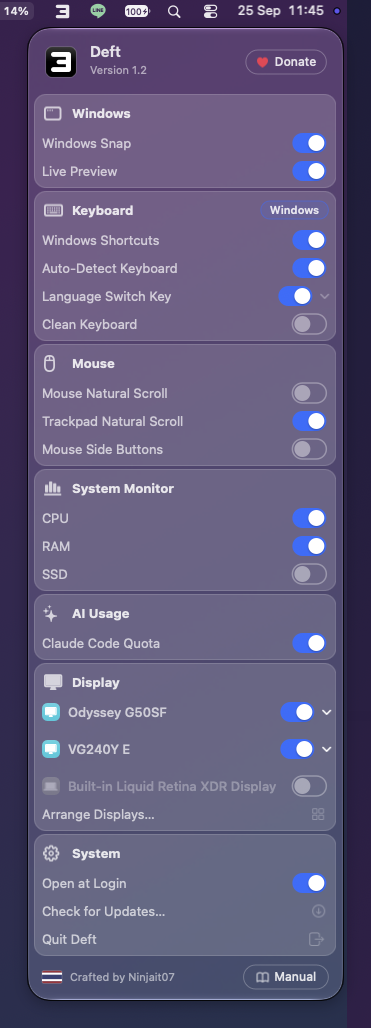
Everything you missed from Windows
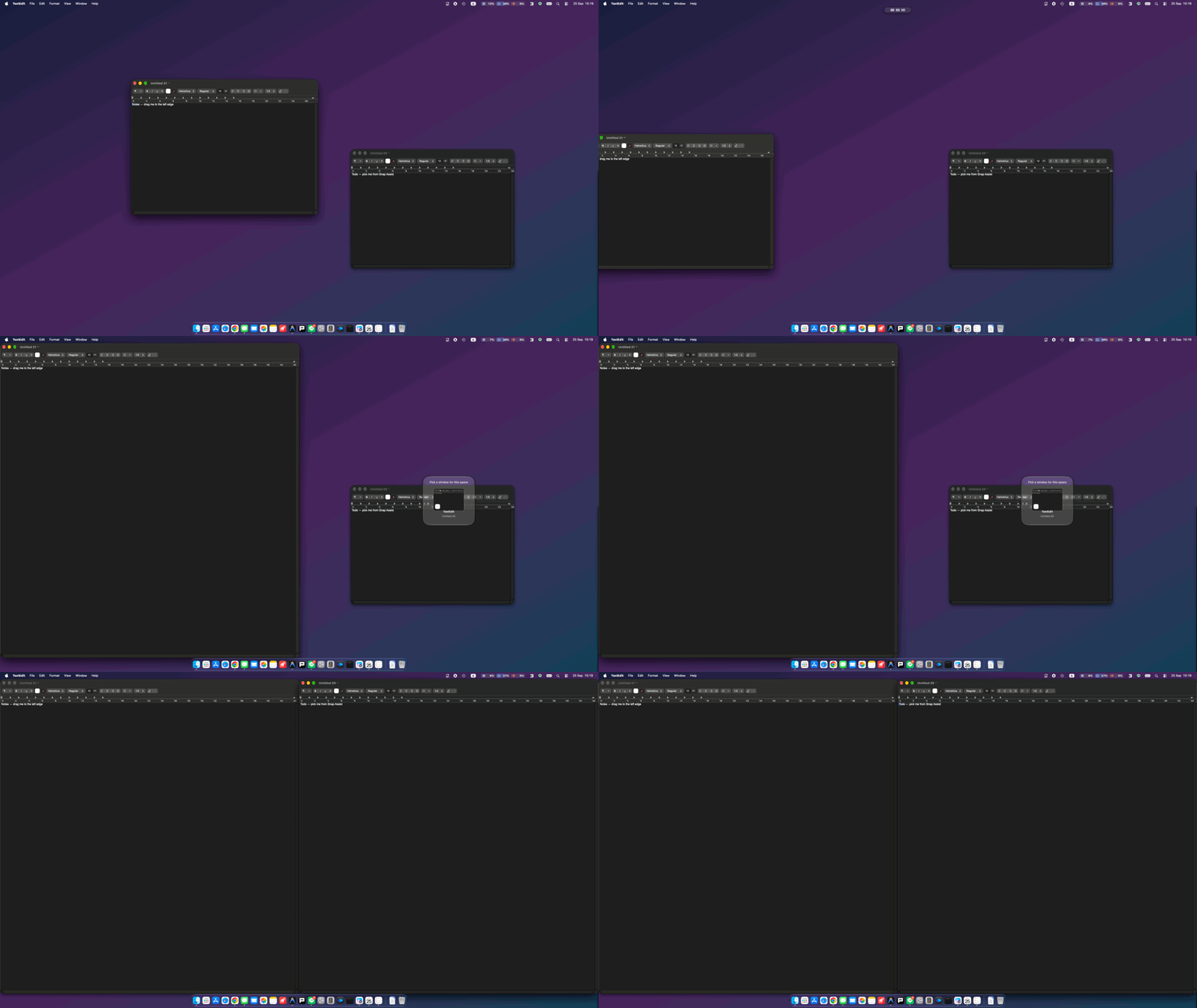
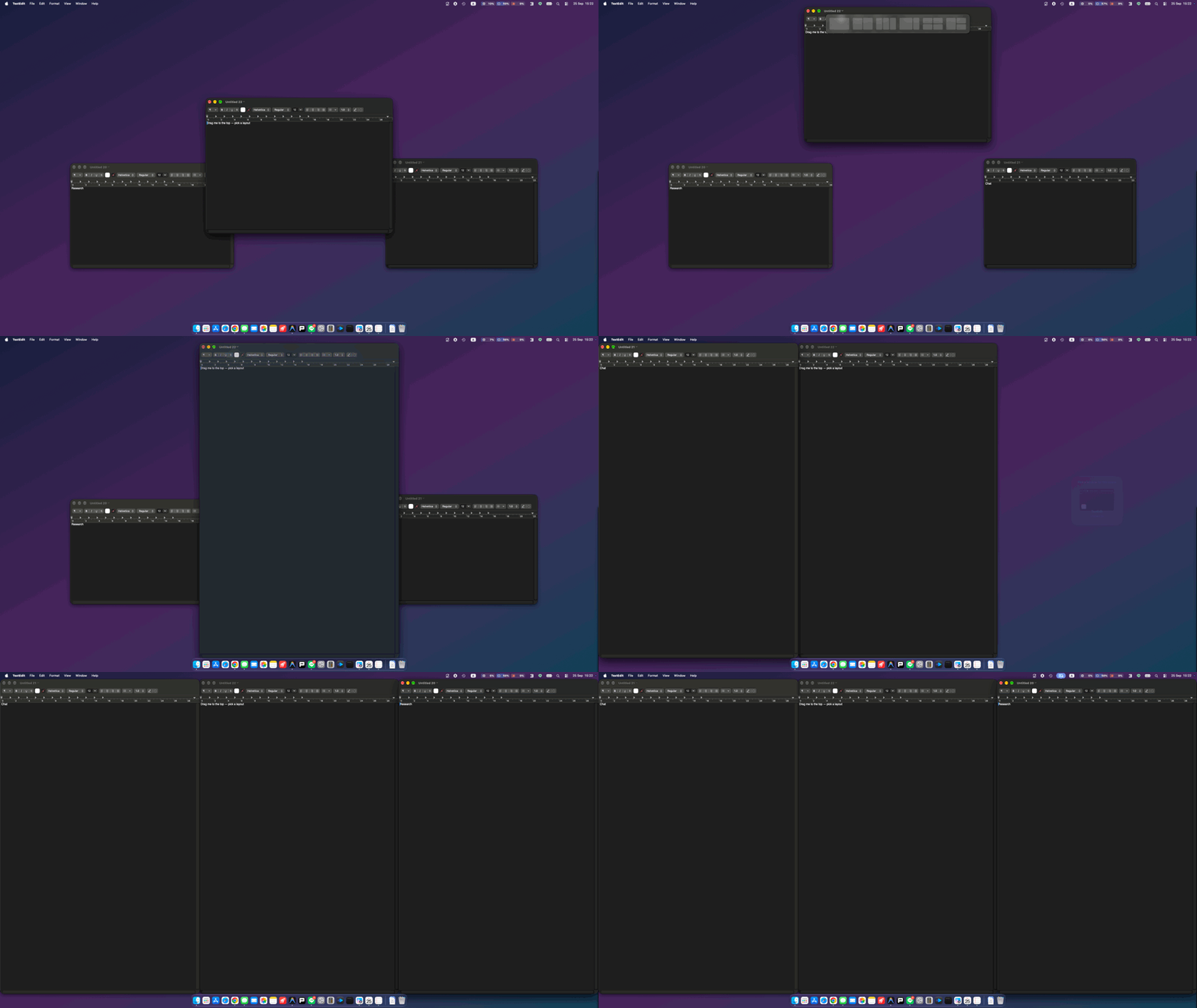
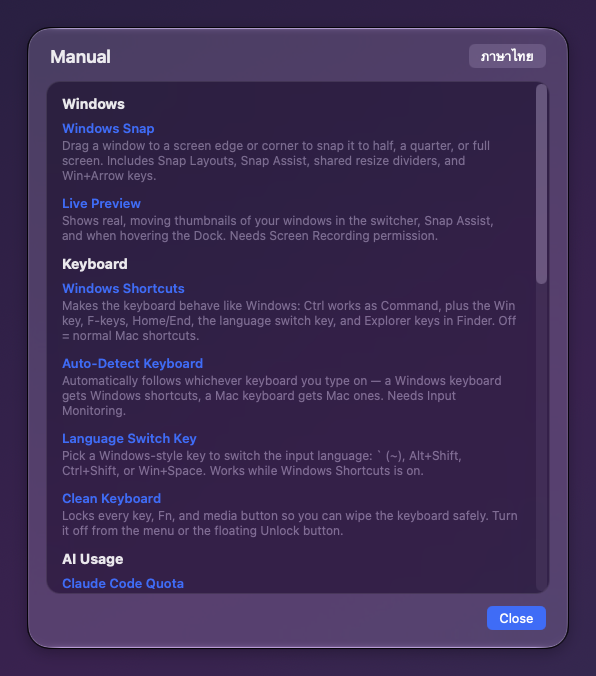
Windows Snap
Drag to edges and corners to snap. Snap Layouts, Snap Assist, shared resize dividers, and Win+arrow keys.
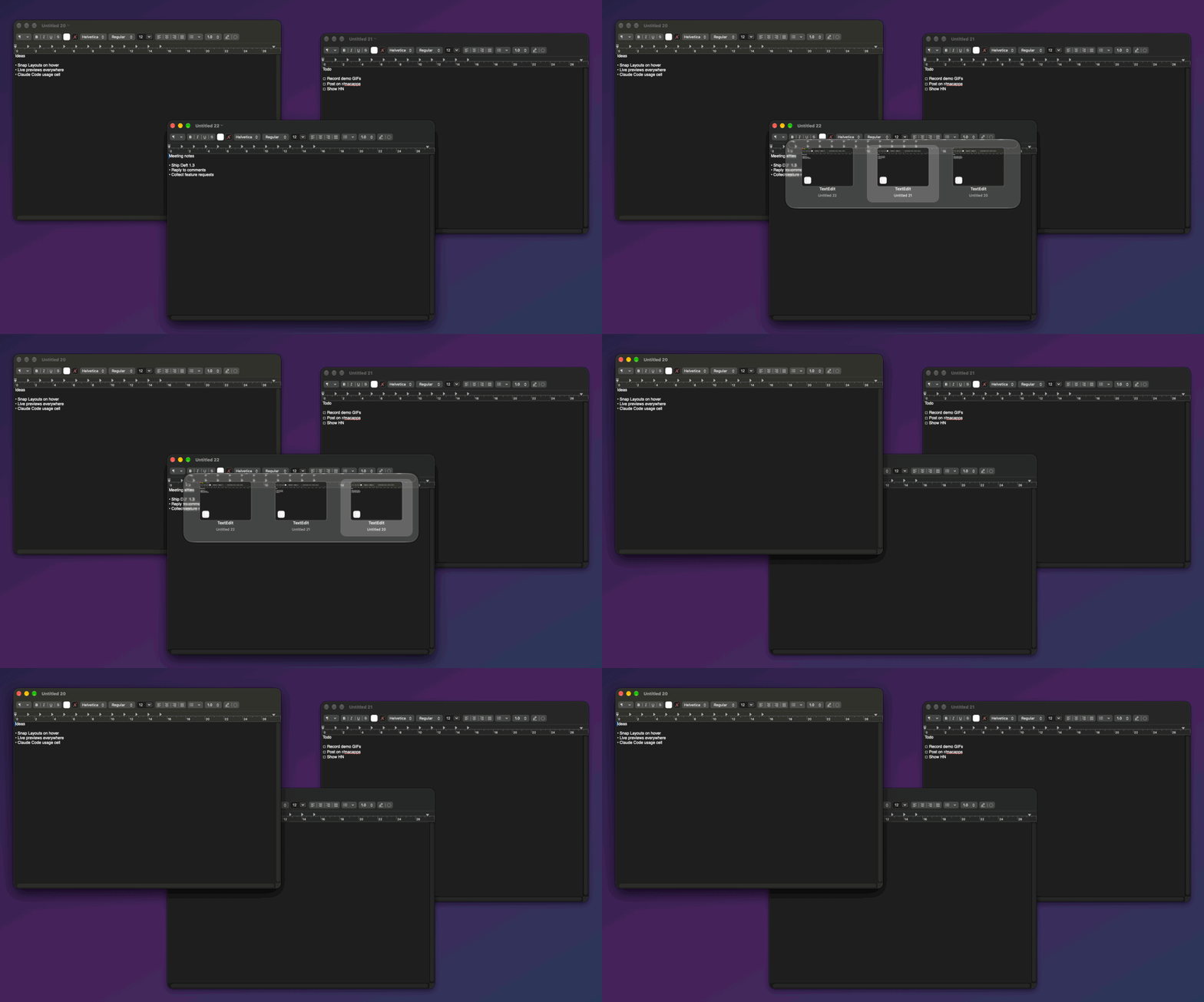
Live Preview switcher
Real, moving window thumbnails in Alt+Tab and Cmd+Tab, Snap Assist, and when you hover the Dock.
Windows keyboard
Ctrl works as Cmd, the Win key, F-keys, Home/End, Explorer keys in Finder — with auto keyboard detection.
Mouse & scroll
Independent natural-scroll for mouse and trackpad, side-button back/forward, and Ctrl+scroll to zoom.
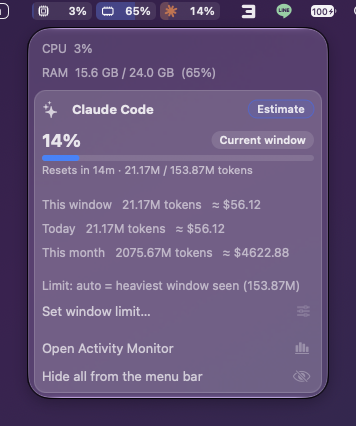
System Monitor
Live CPU, RAM, and SSD cells in the menu bar, smoothly animated. Click for details.
Claude Code usage
See how much of your 5-hour Claude Code window you've used, right next to CPU/RAM — estimated from local logs, no account needed.
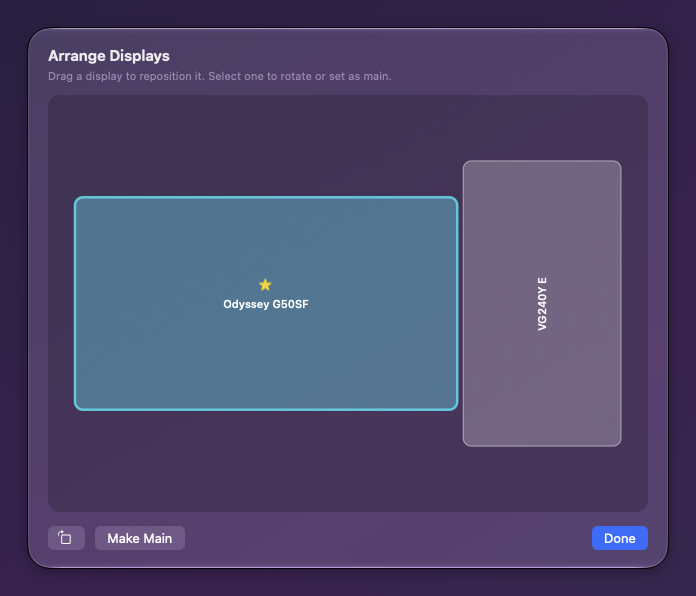
Display controls
Resolution, refresh rate, rotation, main display, power a display off, and drag-to-arrange displays.
Clean Keyboard
Lock every key, Fn, and media button so you can safely wipe the keyboard.
Snapping that feels like home
Liquid Glass, everywhere

It stays on your Mac.
Deft collects nothing, has no accounts, no ads, and no tracking. It asks only for the macOS permissions it needs — and the code is open, so you can verify exactly what it does.
- Accessibility — move and resize windows, translate shortcuts.
- Screen Recording — draw live previews. Nothing is ever recorded or sent.
- Input Monitoring — tell a Windows keyboard from a Mac one.
- The only network use is checking for updates on GitHub.
Install in a minute
- Download the latest Deft.dmg from the releases page and open it.
- Drag Deft into your Applications folder.
- Launch Deft and grant the permissions it asks for.
Prefer Homebrew?
brew tap ninjait07/deft https://github.com/ninjait07/deft
brew trust ninjait07/deft
brew install --cask deft
Signed with a Developer ID and notarized by Apple, so it opens without security warnings.
If Deft makes your Mac feel like home
A small tip keeps it free and evolving. Thank you!